Service guide
Product management
Learn how to register products in the product list and track work progress with indicators.
1.Product list
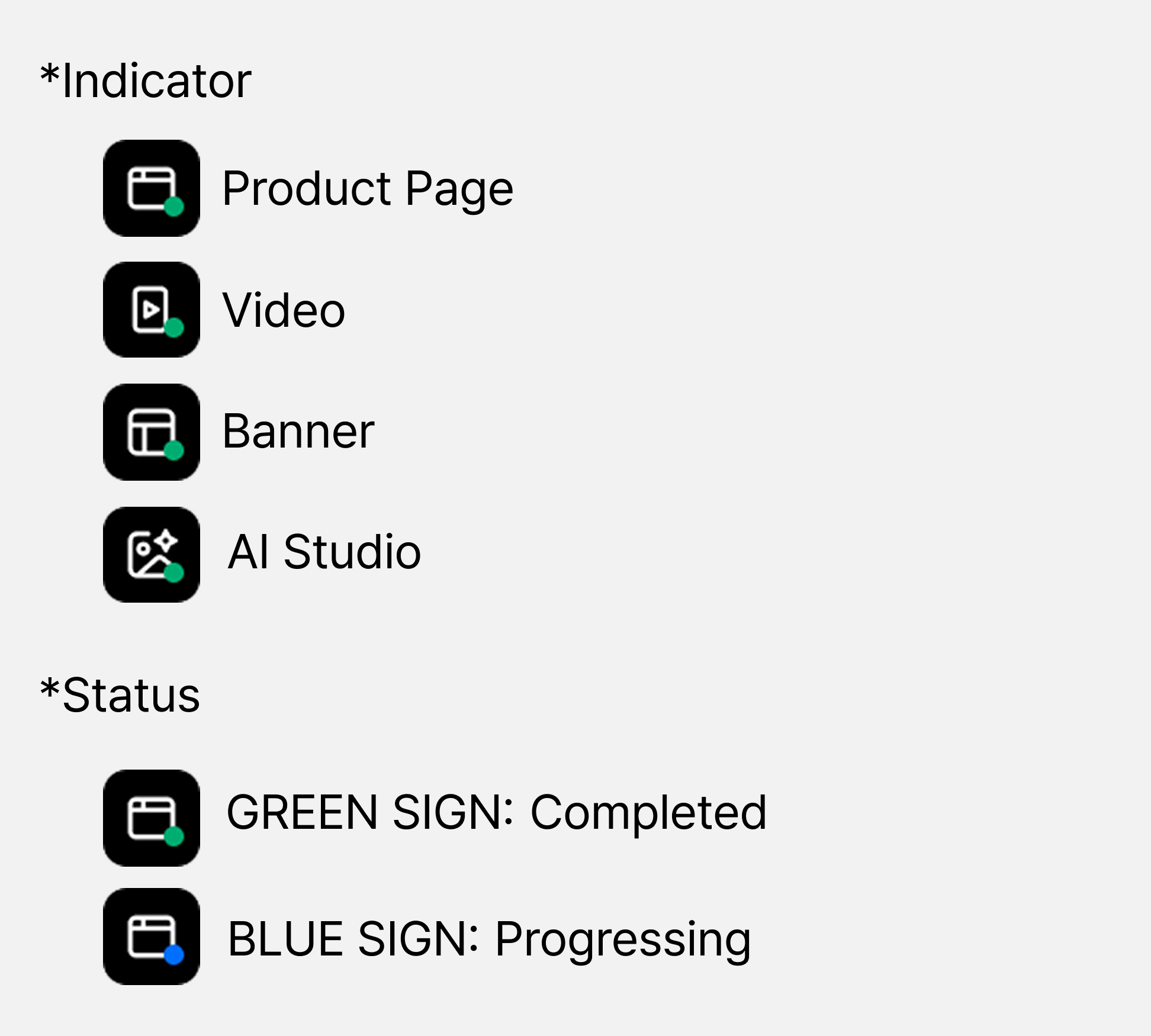
Through the product list, you can register the products you want to work on and manage projects on a per-product basis. The indicator on each product thumbnail lets you check work progress at a glance.
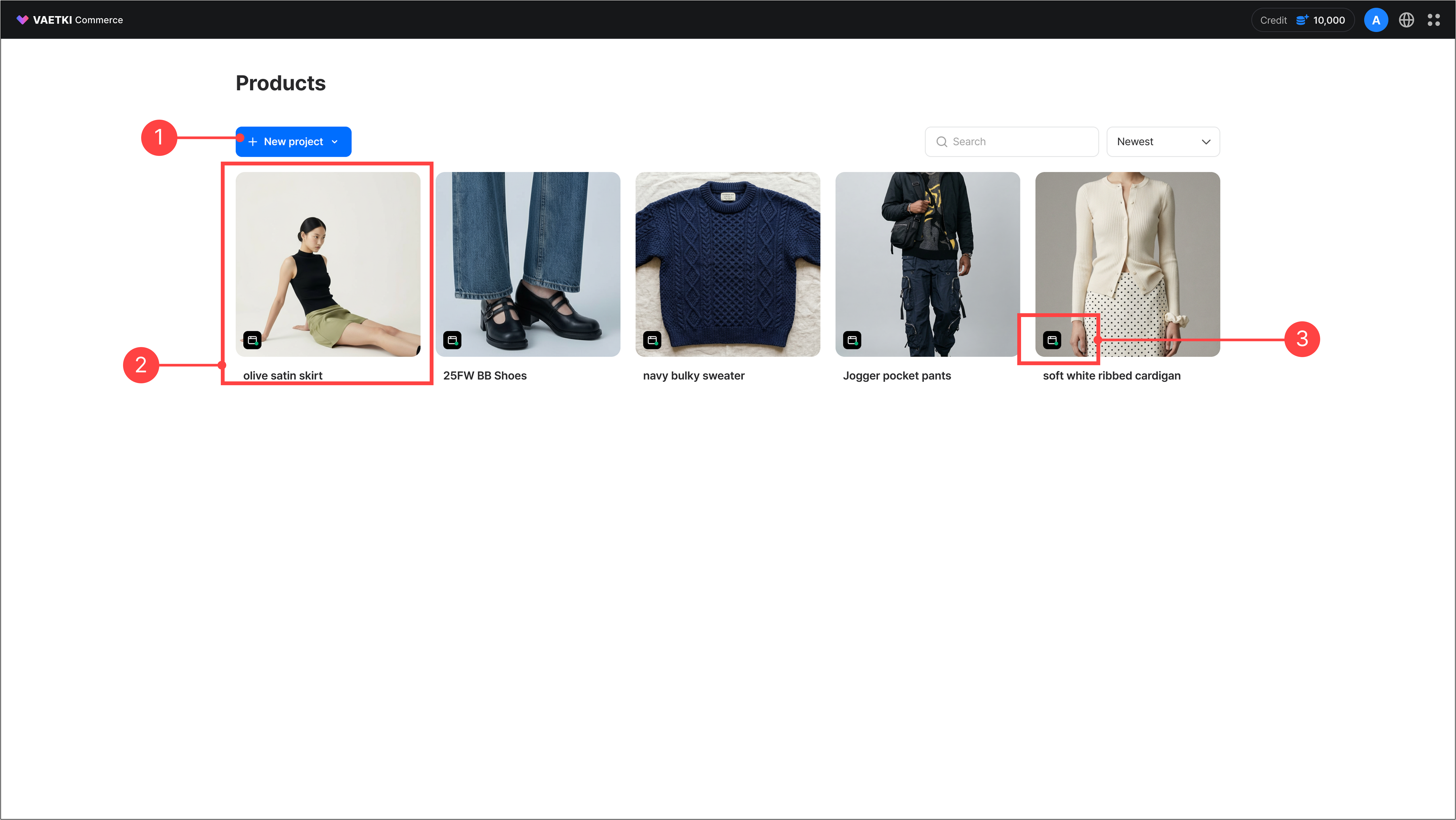
- Use the New project button in the product list to start a project for a specific product.
- You can view the thumbnail and name of each registered product.
- The indicator on each product thumbnail shows the work status.
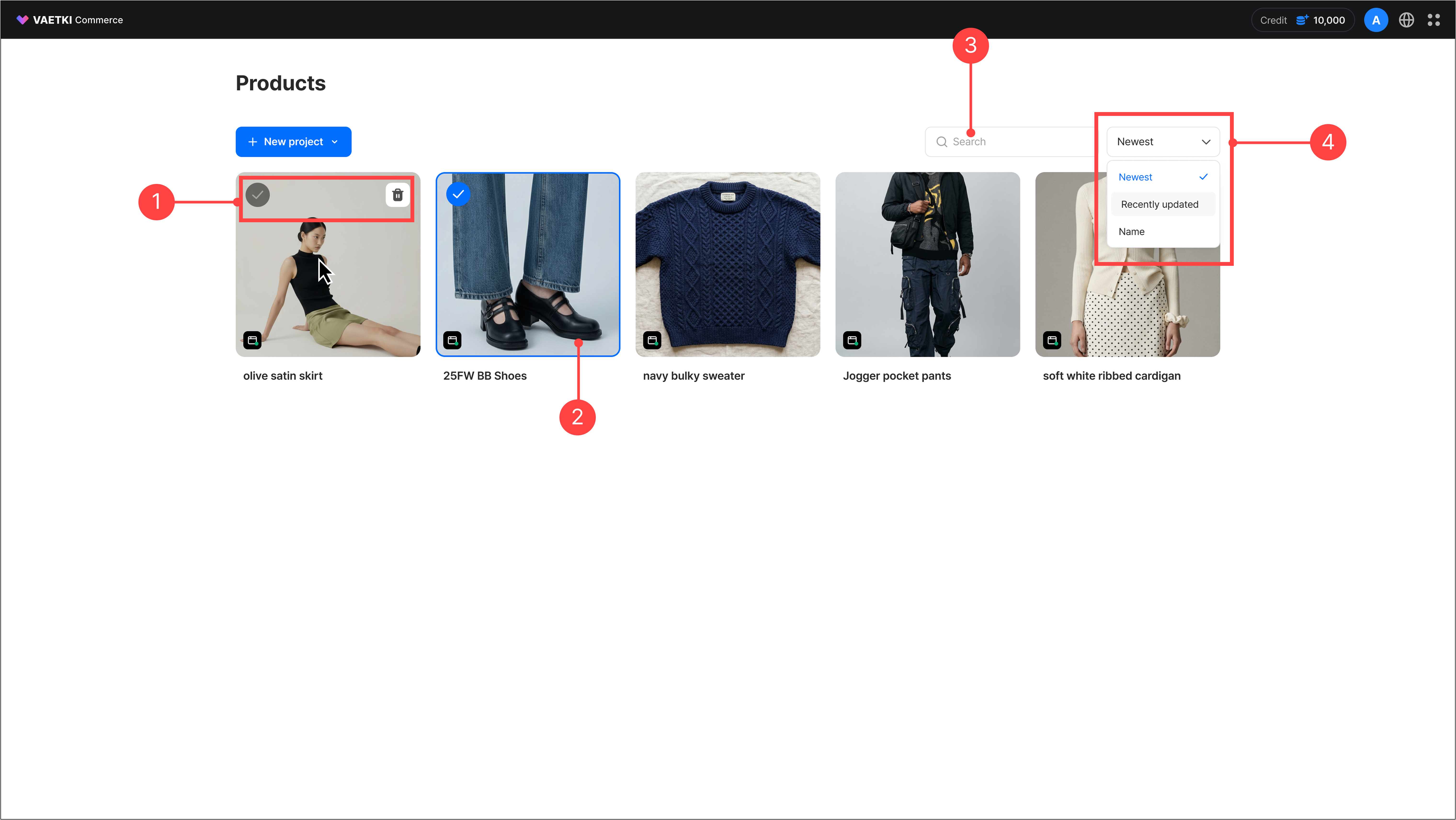
- Hovering over a product thumbnail reveals a selection checkbox and a delete button.
- Selected products are marked with a blue checkbox and border.
- You can search registered products in the product list.
- You can change the sort order of products.
2.Registering a new project – Starting with a new product
You can register a new project on a per-product basis.
A new project can be started with a new product or based on a previously registered product.
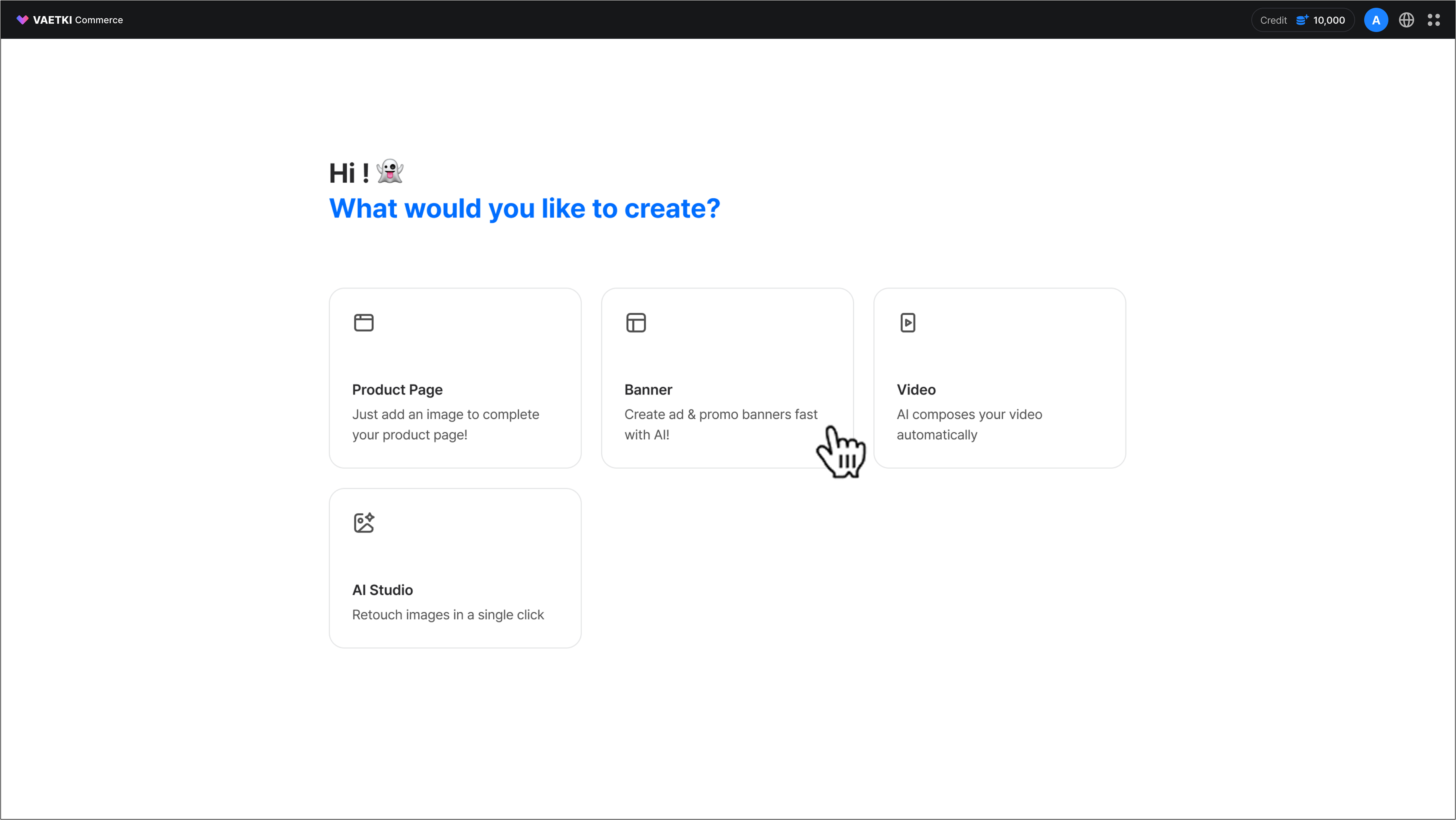
- On the first screen after signing up, select the content you want to start a new project.
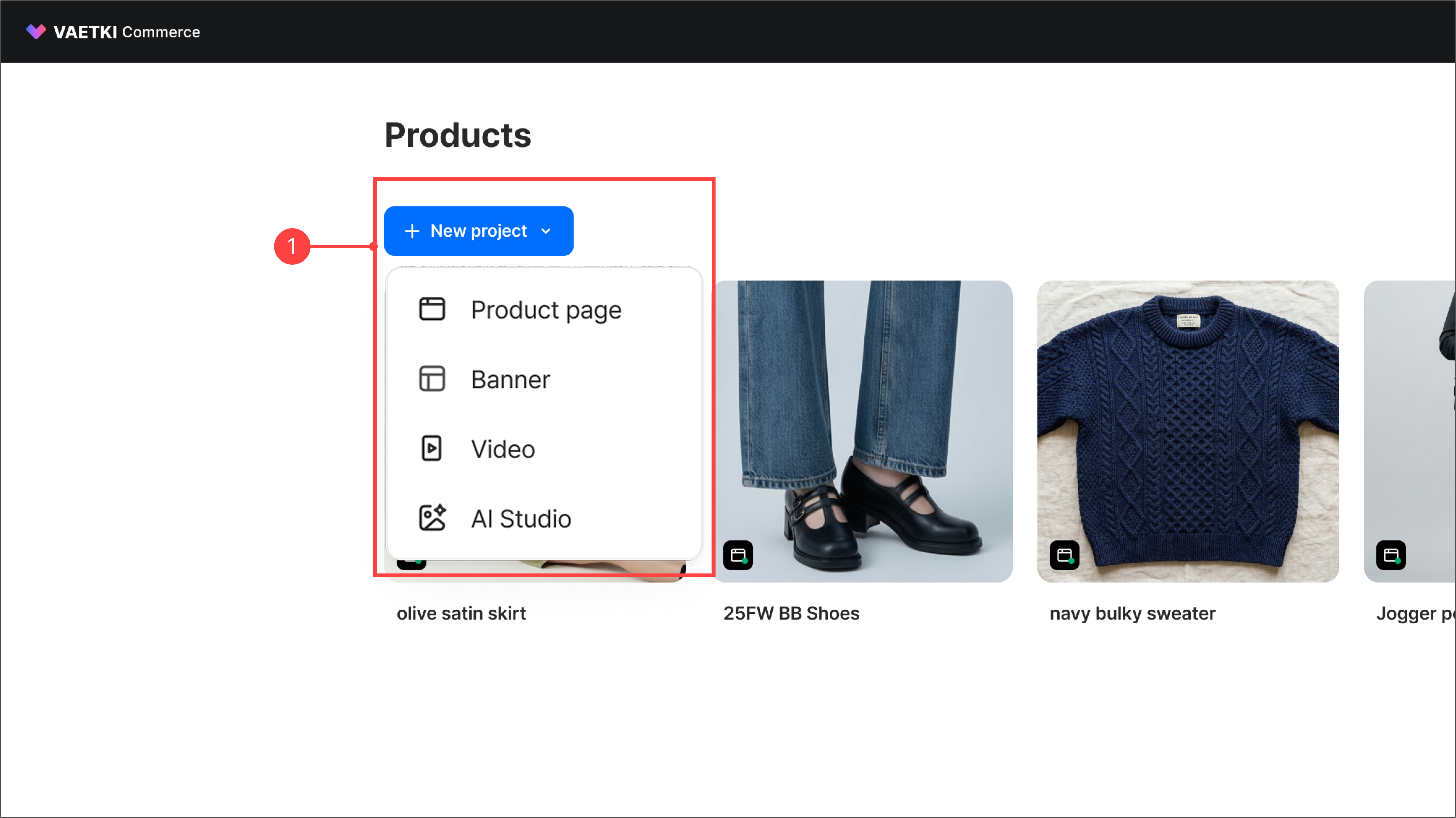
- In the product list, click the 'New project' button to start creating the content you want.
3.Registering a new project – Starting from an existing product
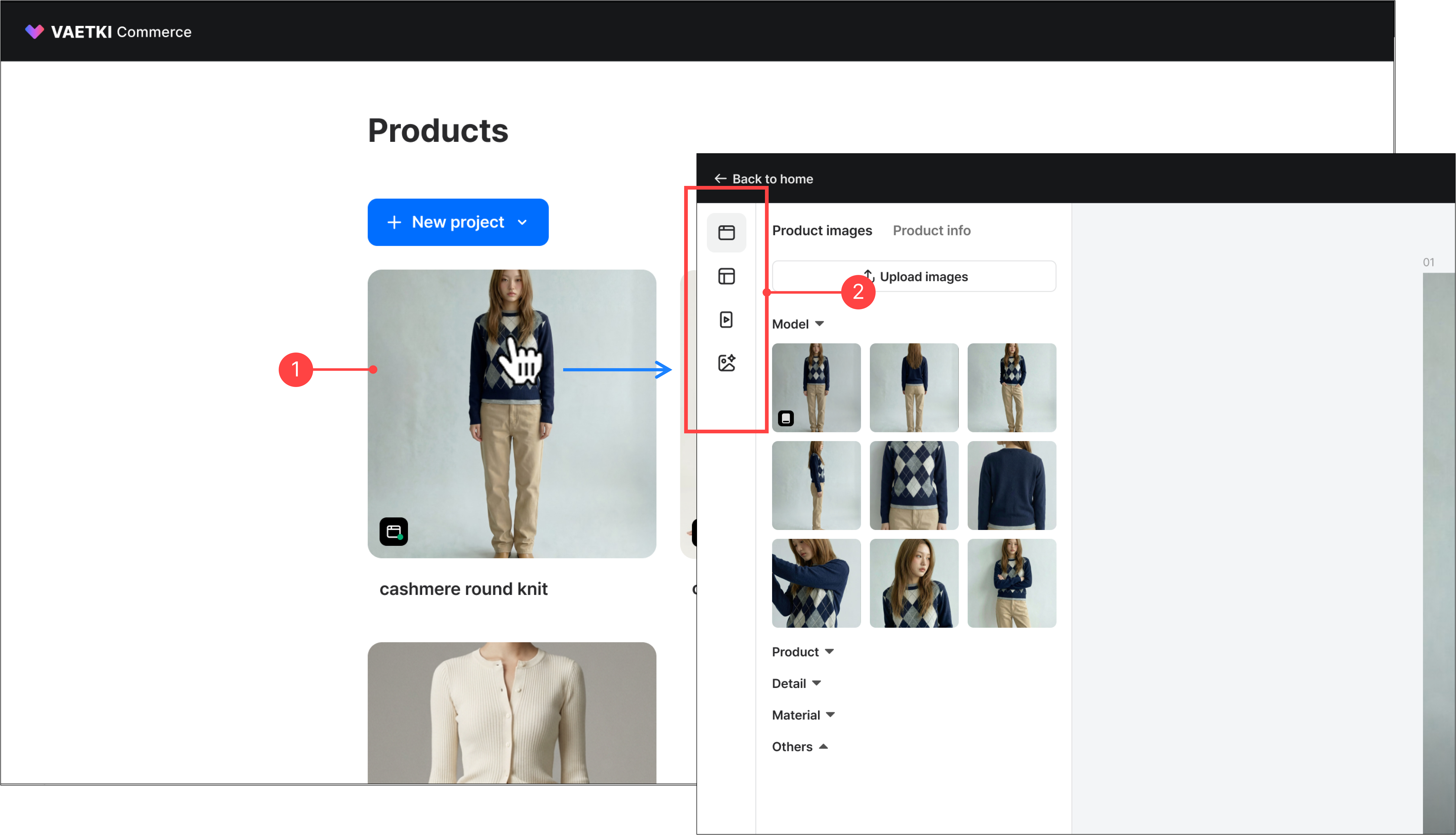
- In the product list, select a previously created product to move to its content list or canvas.
- From the left navigation menu on the content screen or canvas, select the content you want and start creating.
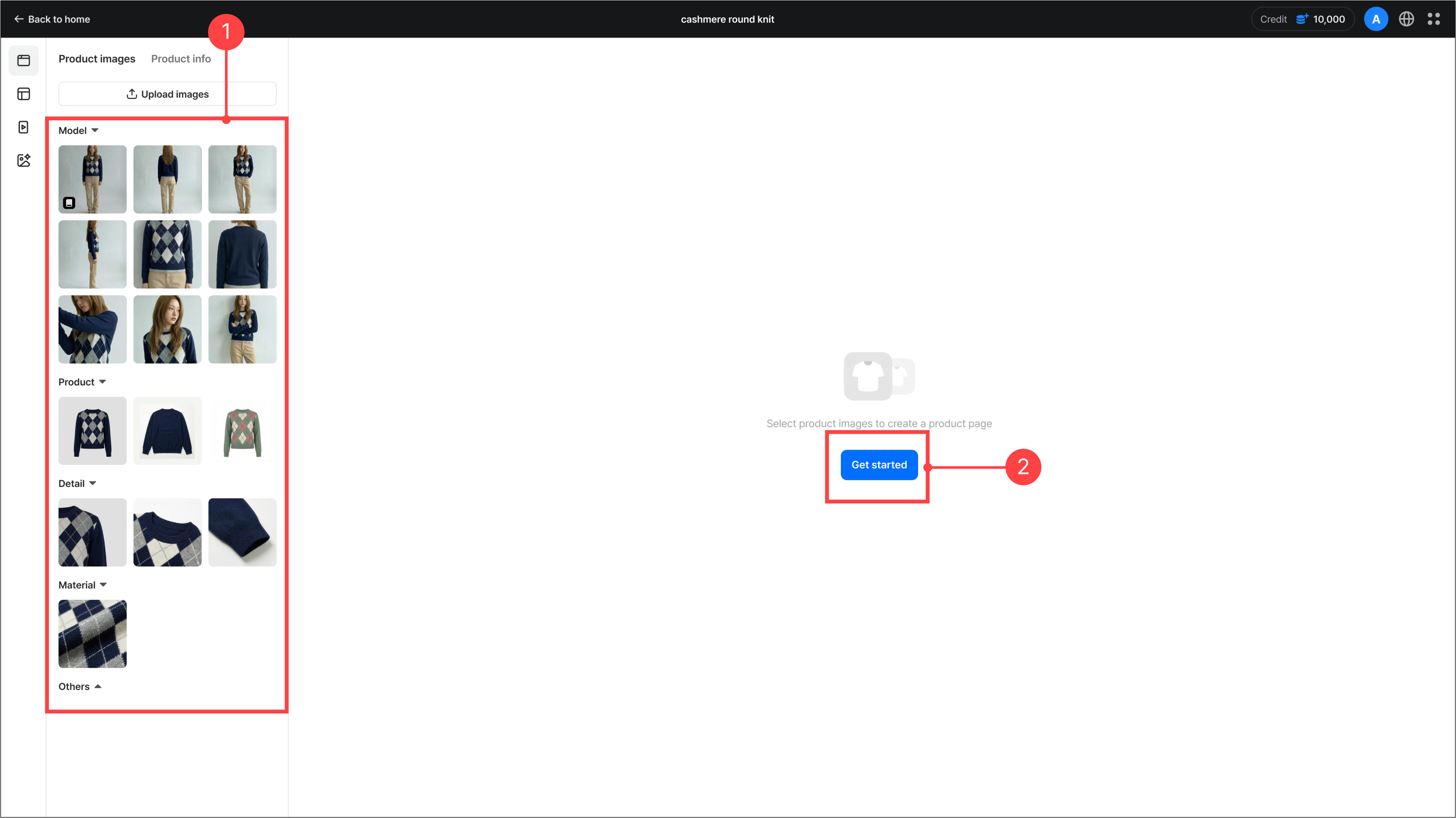
- In the asset panel, you can view and select previously uploaded images, and upload additional ones.
- Click the 'Start' button in the center of the canvas displays the option selection screen for each content type.